 Track3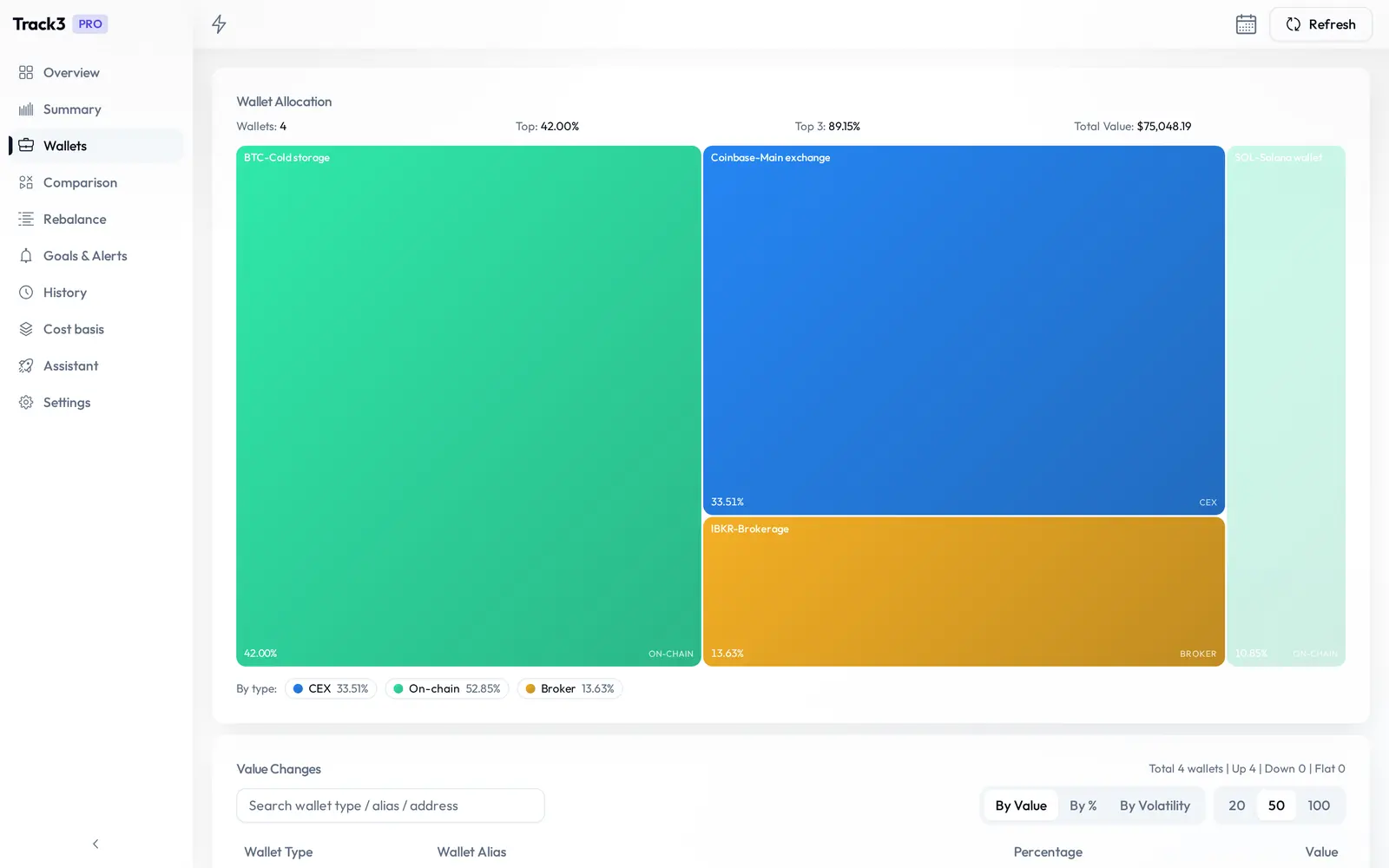
Wallets and sources
See refresh status for each source, with retry controls in the refresh status dialog. Pro adds per-source asset views. Interactive Brokers positions import through Flex Web Service using a Query ID and Token.
Crypto and stocks across exchanges, wallets and Interactive Brokers in one private place. History, PnL, cost basis and a Pro-only assistant that answers from your own data.
 Binance

 Bitget
 Kraken
 Gate.io
 Coinbase

 HTX
HTX
 MEXC
MEXC
 Backpack
 Interactive Brokers
 Bitcoin
 Ethereum
BNB Chain
Ethereum
BNB Chain
 Solana
 Dogecoin
 TON
TON
 SUI
EVM (Pro)
SUI
EVM (Pro)
 TRON (Pro)
Your portfolio database stays on your device. Connect with read-only credentials, refresh when you want, and see where every balance sits.
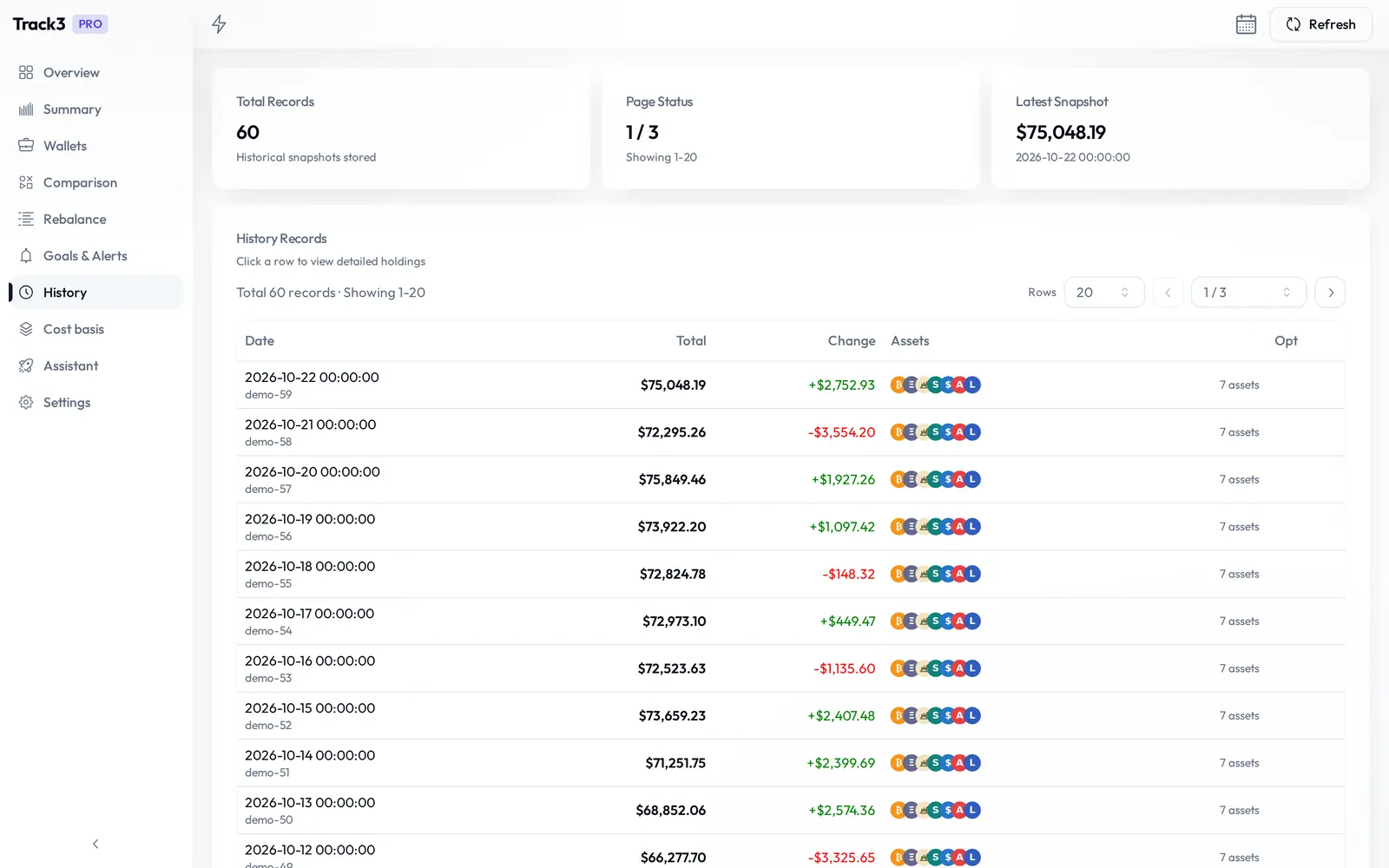
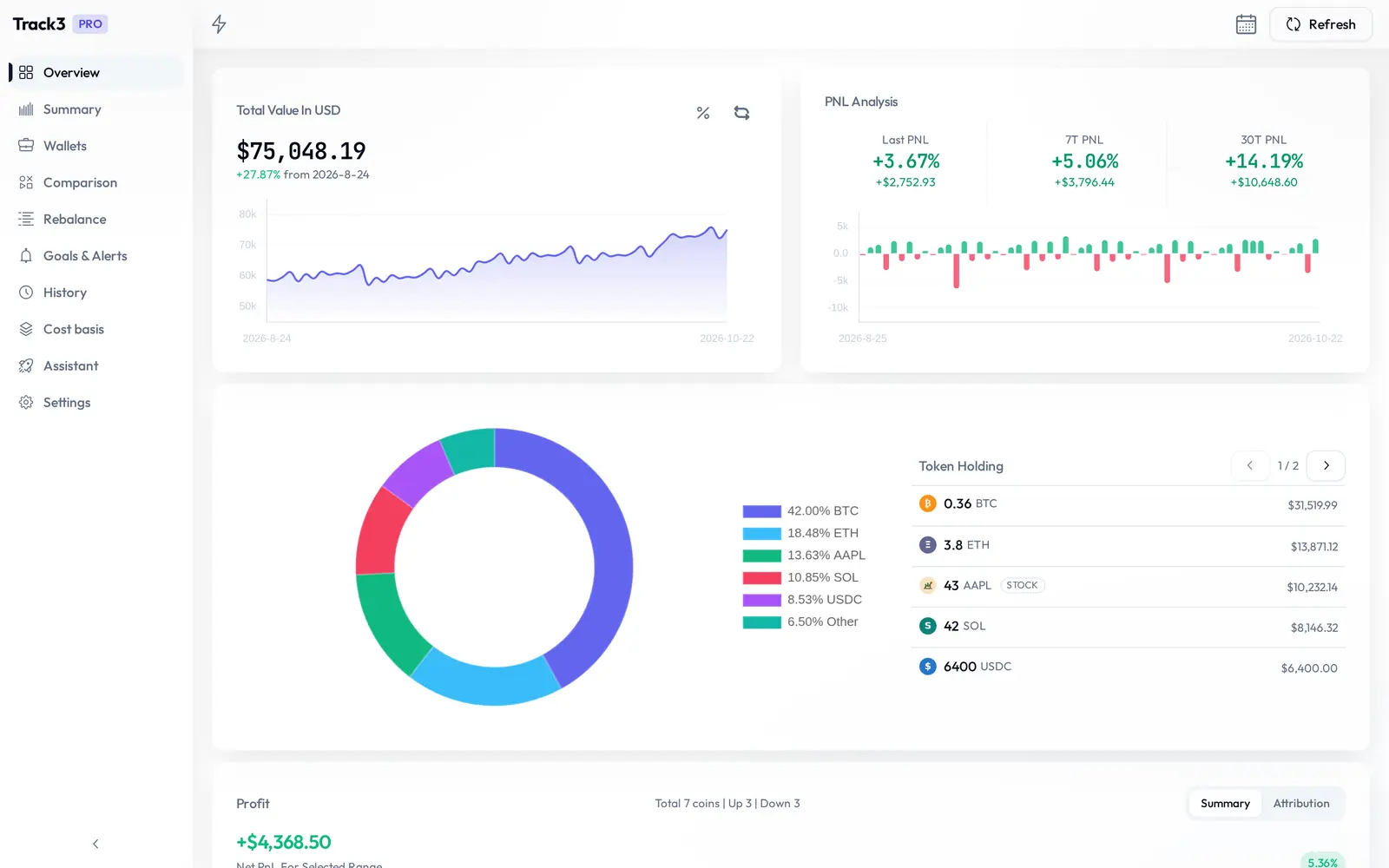
Each successful refresh saves a snapshot. Scroll back through days and months, open any day, and compare two periods side by side.
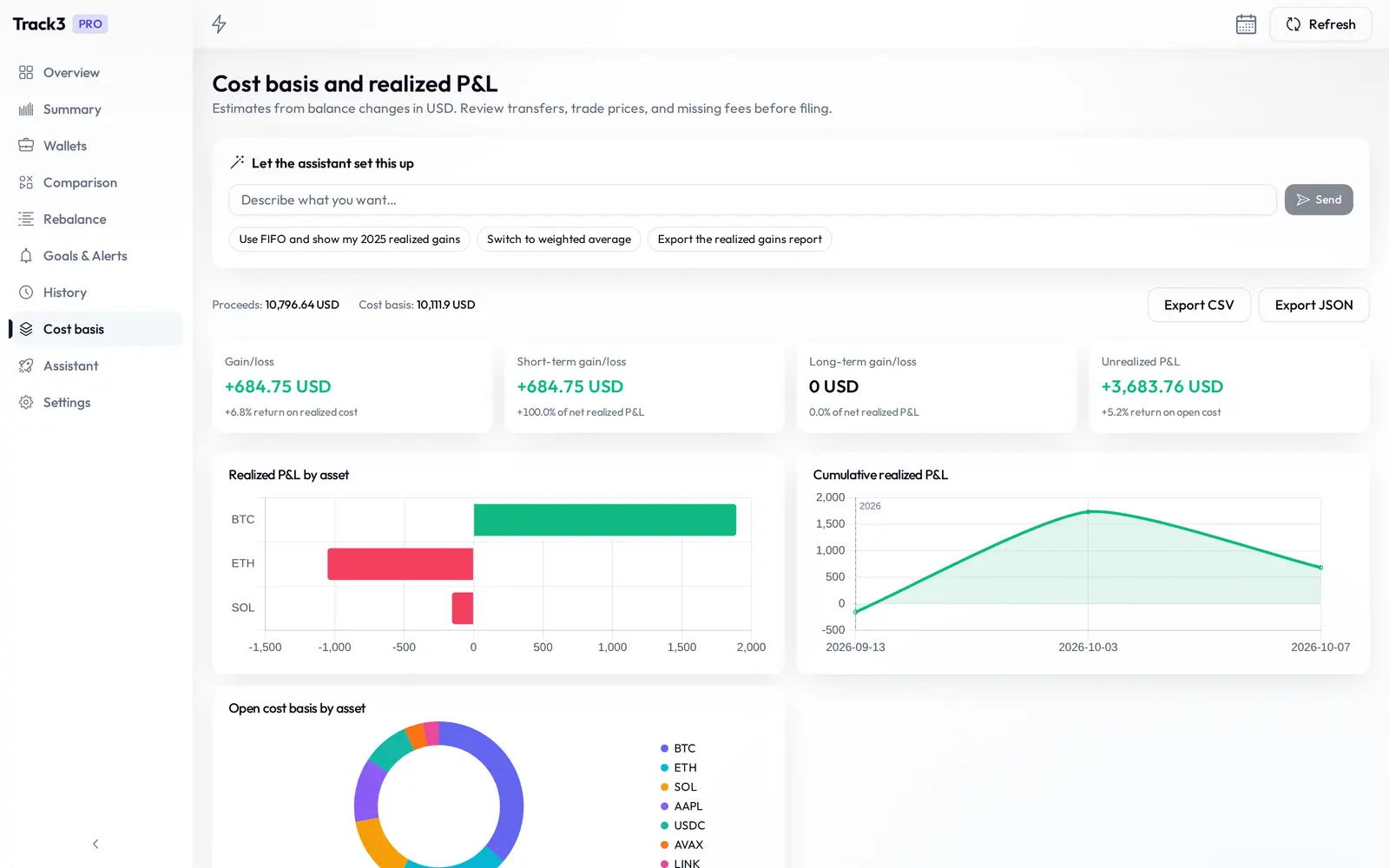
Realized and unrealized PnL, cost basis with your chosen method, and reports with CSV and JSON export — not just a balance.
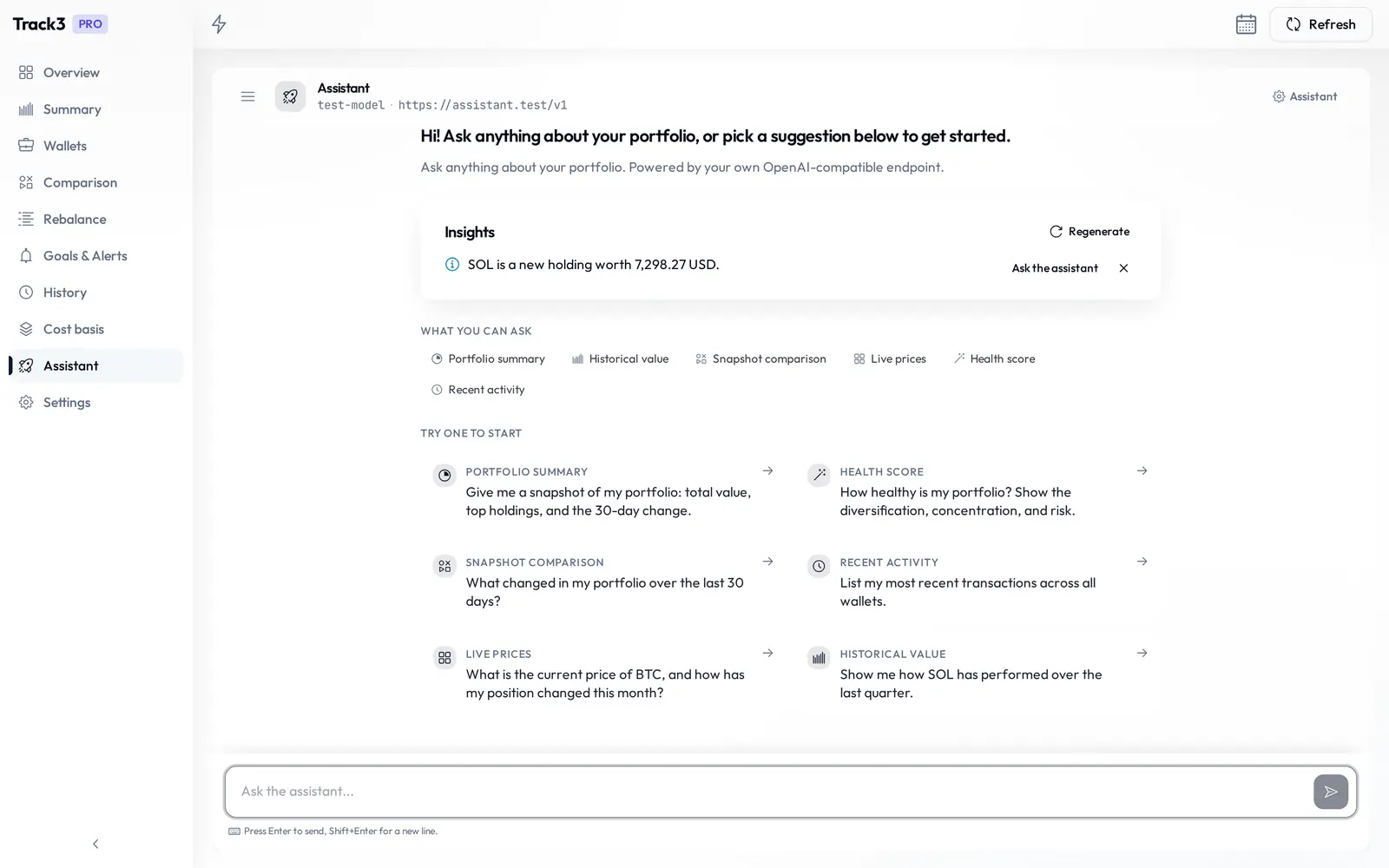
“How much BTC do I hold?” “What moved most this month?” The assistant answers from your local data using any OpenAI-compatible endpoint. Chat messages are encrypted before storage; chat titles and previews are not.
Track3 has room for the daily work beyond an overview.
See refresh status for each source, with retry controls in the refresh status dialog. Pro adds per-source asset views. Interactive Brokers positions import through Flex Web Service using a Query ID and Token.
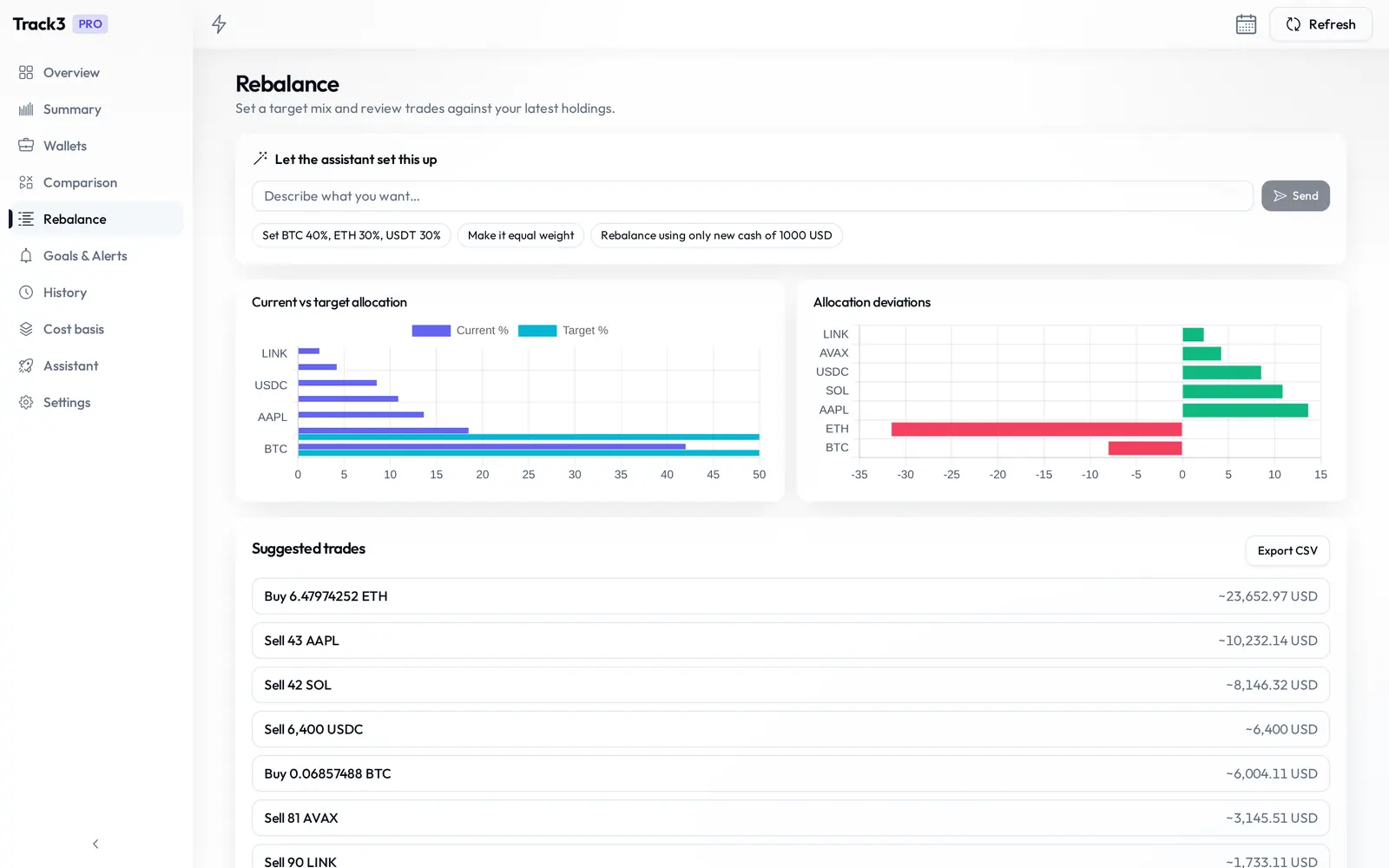
Set target weights and trade constraints, review suggested changes, then export them to CSV.
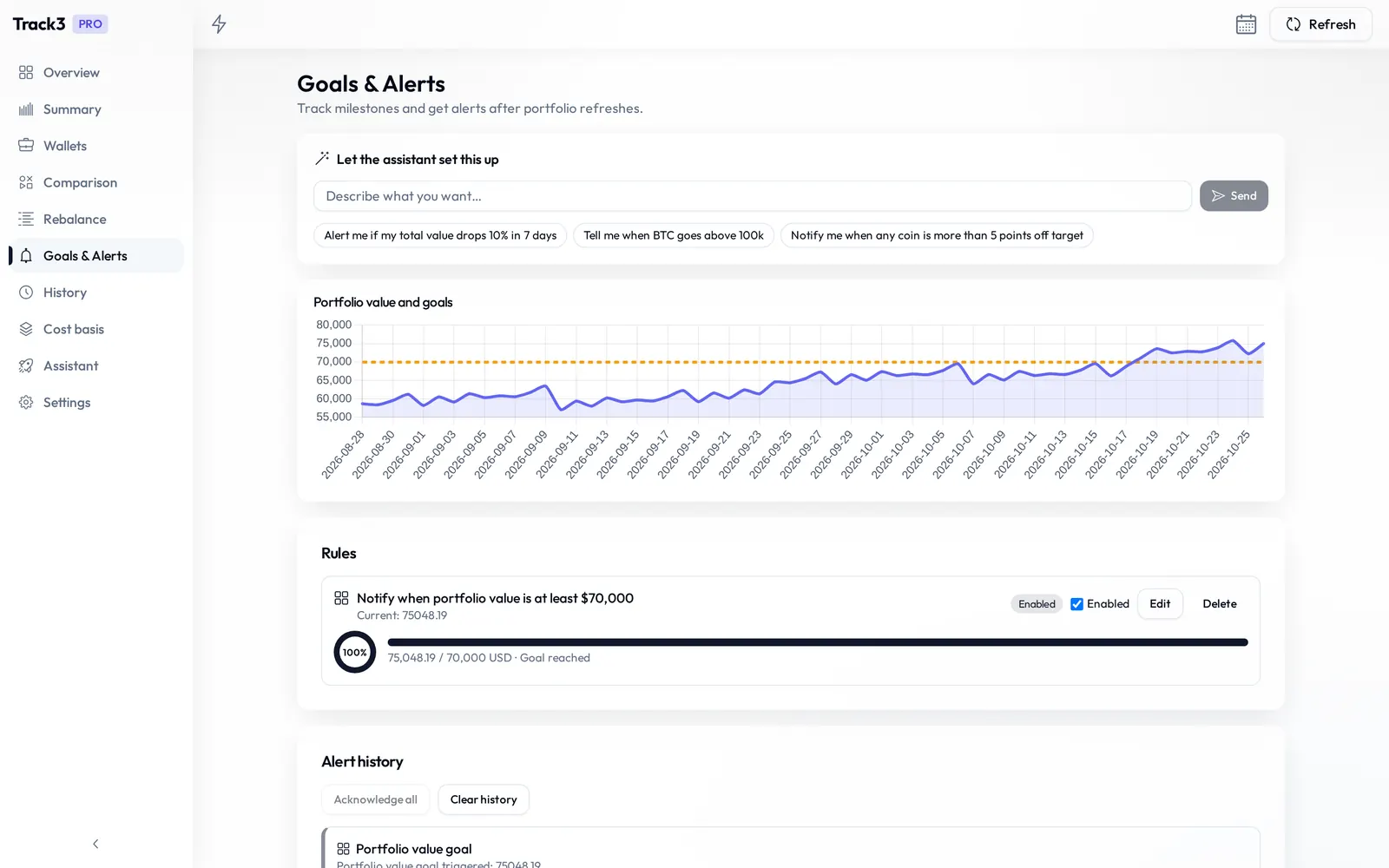
Watch portfolio targets, prices and allocation drift. Review alert history and receive local notifications.
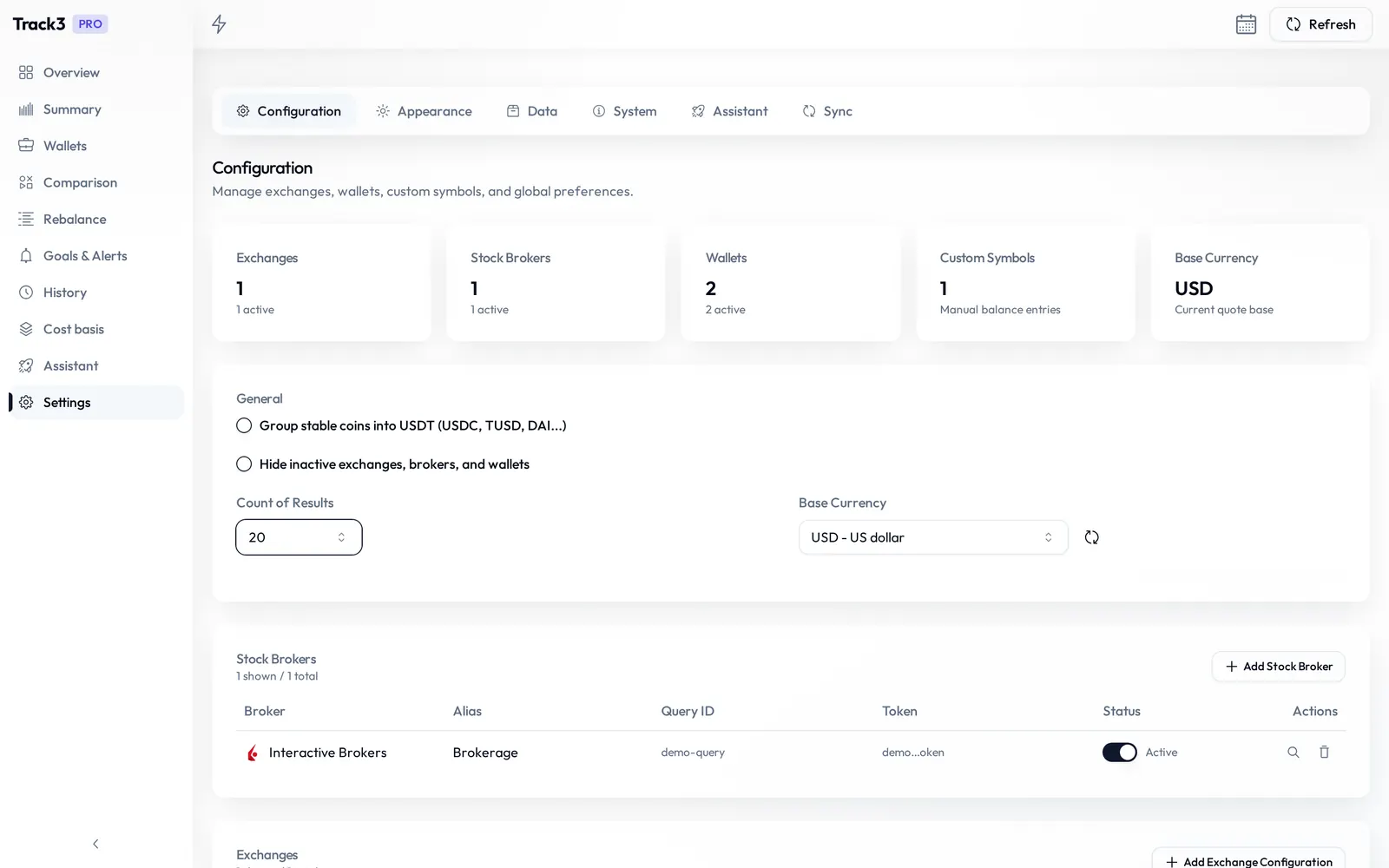
Import and export files, set up optional encrypted S3 sync, rotate the local encryption key, and choose English or Simplified Chinese.
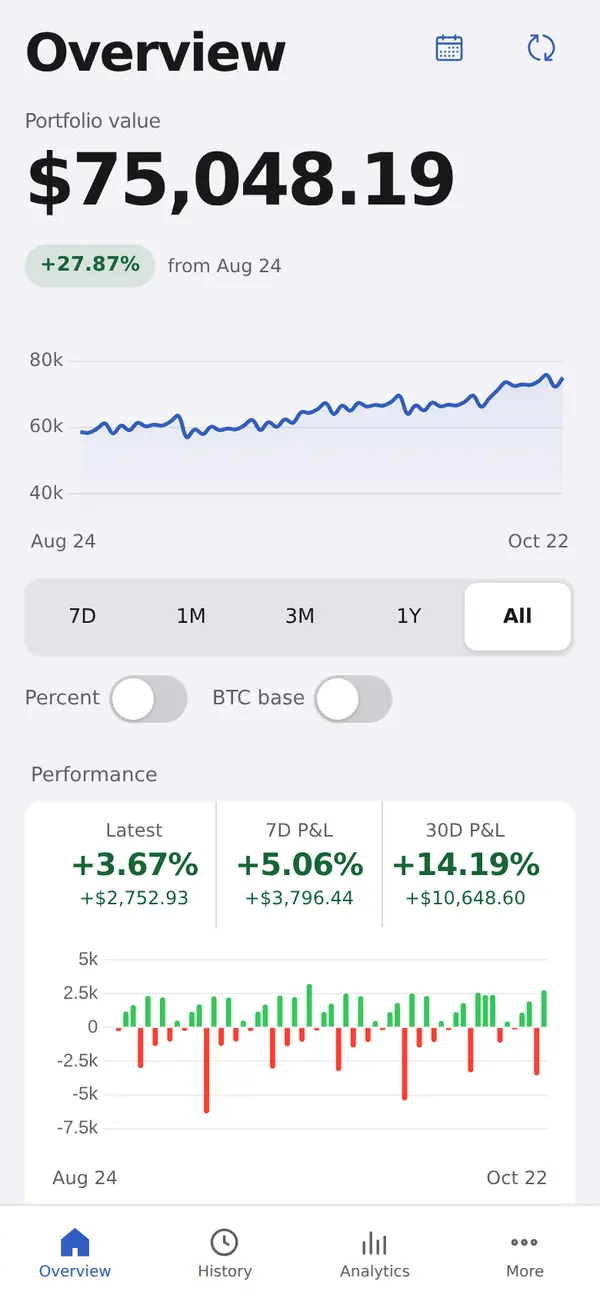
Tabs on iPhone, a sidebar and split views on iPad. The same local portfolio data and encrypted sensitive settings, with a Face ID app lock and Files import and export.
Overview
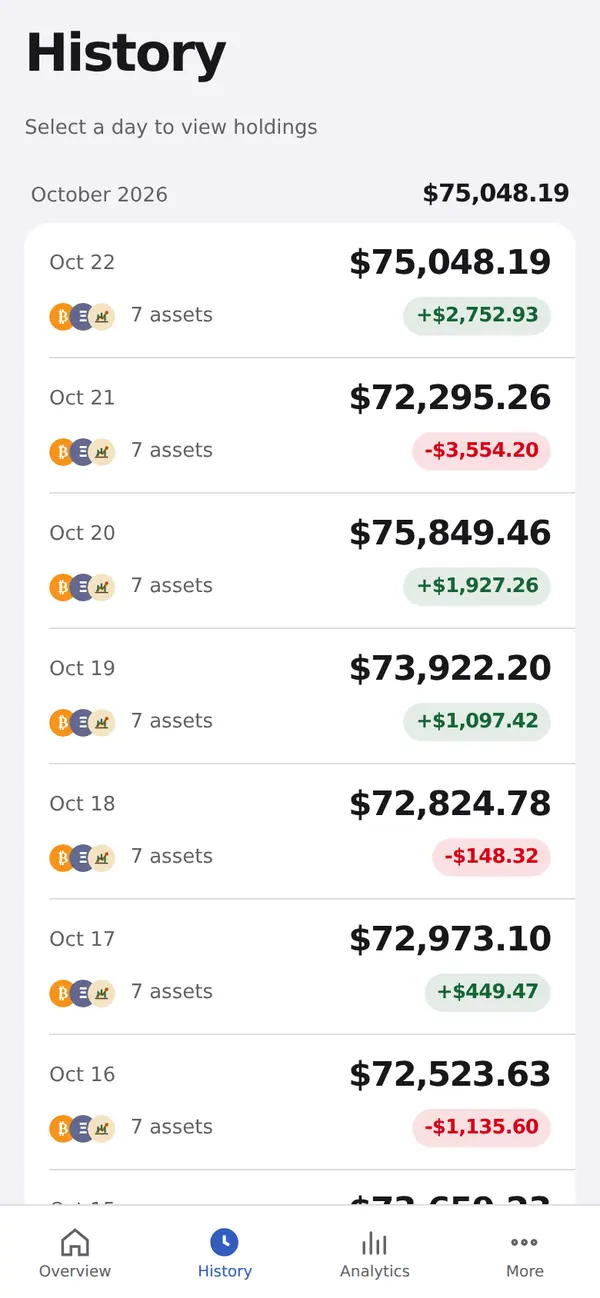
History
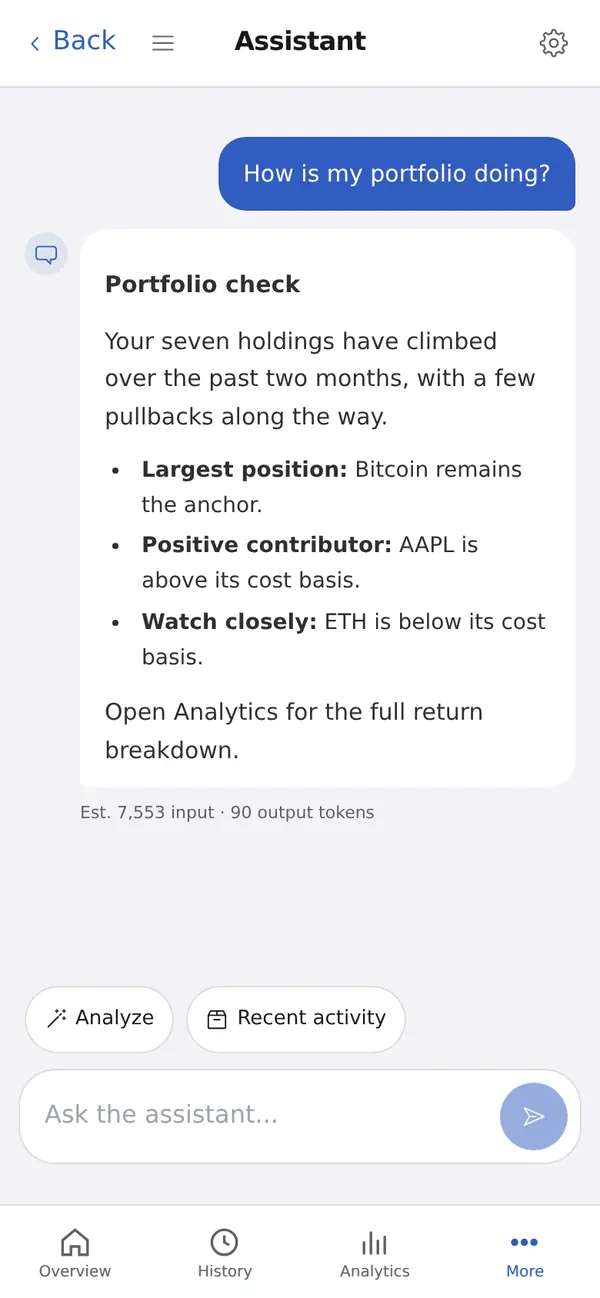
Assistant (Pro)
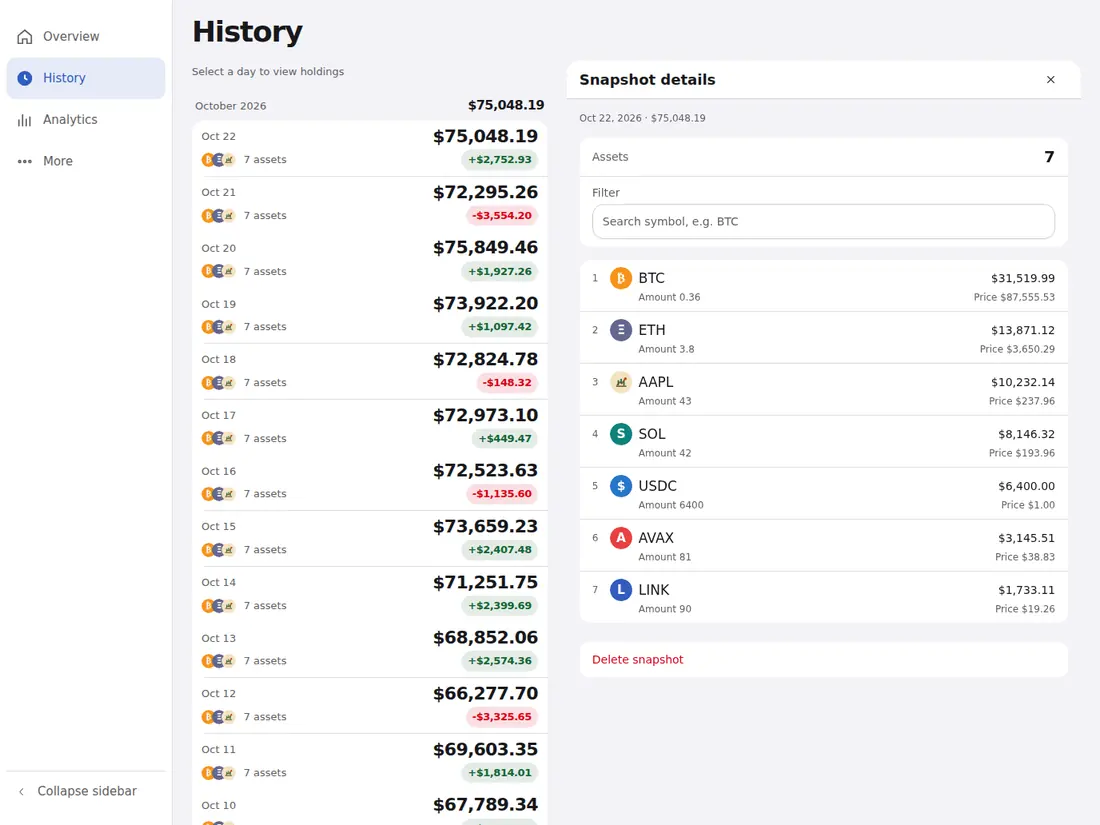
iPad, landscape
Coming soon. The iPhone and iPad app is not available to install yet. Watch the GitHub repository for updates.
Portfolio records stay in a local SQLite database. Refreshes contact your sources, assistant requests reach your chosen provider, and optional sync uses your S3 storage. Crypto prices and public wallet balances may come from public APIs such as CoinGecko. Currency rates, the stablecoin list, stock prices, Pro refreshes, and license checks use Track3's services. Pro wallet refreshes send wallet addresses to Track3's service, and Track3 service requests include a persistent client ID.
The desktop and iOS apps send usage events for launches, refreshes, and subscription-button clicks to Aptabase at eu.aptabase.com. There is no in-app opt-out. Events carry a persistent client ID and session ID, plus details such as OS, user agent, locale, app and Tauri versions; refresh events may include source IDs.
Pro adds the AI assistant, broader EVM and TRON coverage, and live values. Free Ethereum and BNB Chain tracking covers native ETH and BNB; token balances need Pro.
Cancel any time.
About 30% less than monthly.
One wallet refresh counts as one use.
In-app subscriptions are not supported yet. Enter an existing Pro license key in Settings → System → System Info on desktop.
Releases provide macOS, Windows and Linux installers. The download page picks a recommended package and lists every available format.
Soon. It is not available to install yet. Watch the GitHub repository for updates.
Portfolio assets and transactions use a local SQLite database and are not encrypted by the app. Credentials, configured wallet addresses and chat messages are encrypted before storage; chat titles and previews are not. On desktop, set your own encryption key for stronger protection. Privacy details
Use file import and export, a backup folder such as iCloud Drive, or optional encrypted sync with S3 storage you configure.
Free to download for desktop. iPhone and iPad are coming soon. Source available on GitHub.