Summary
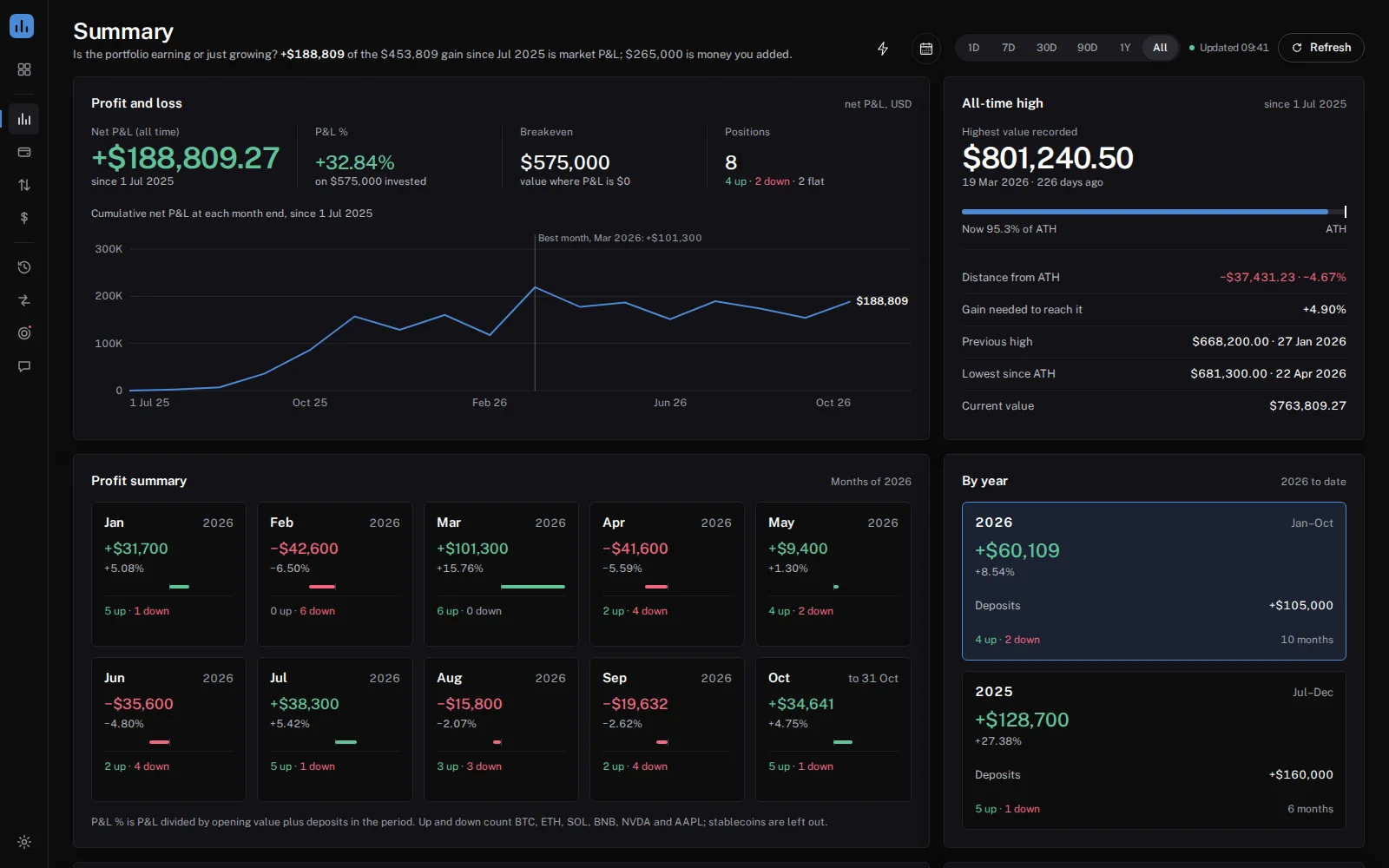
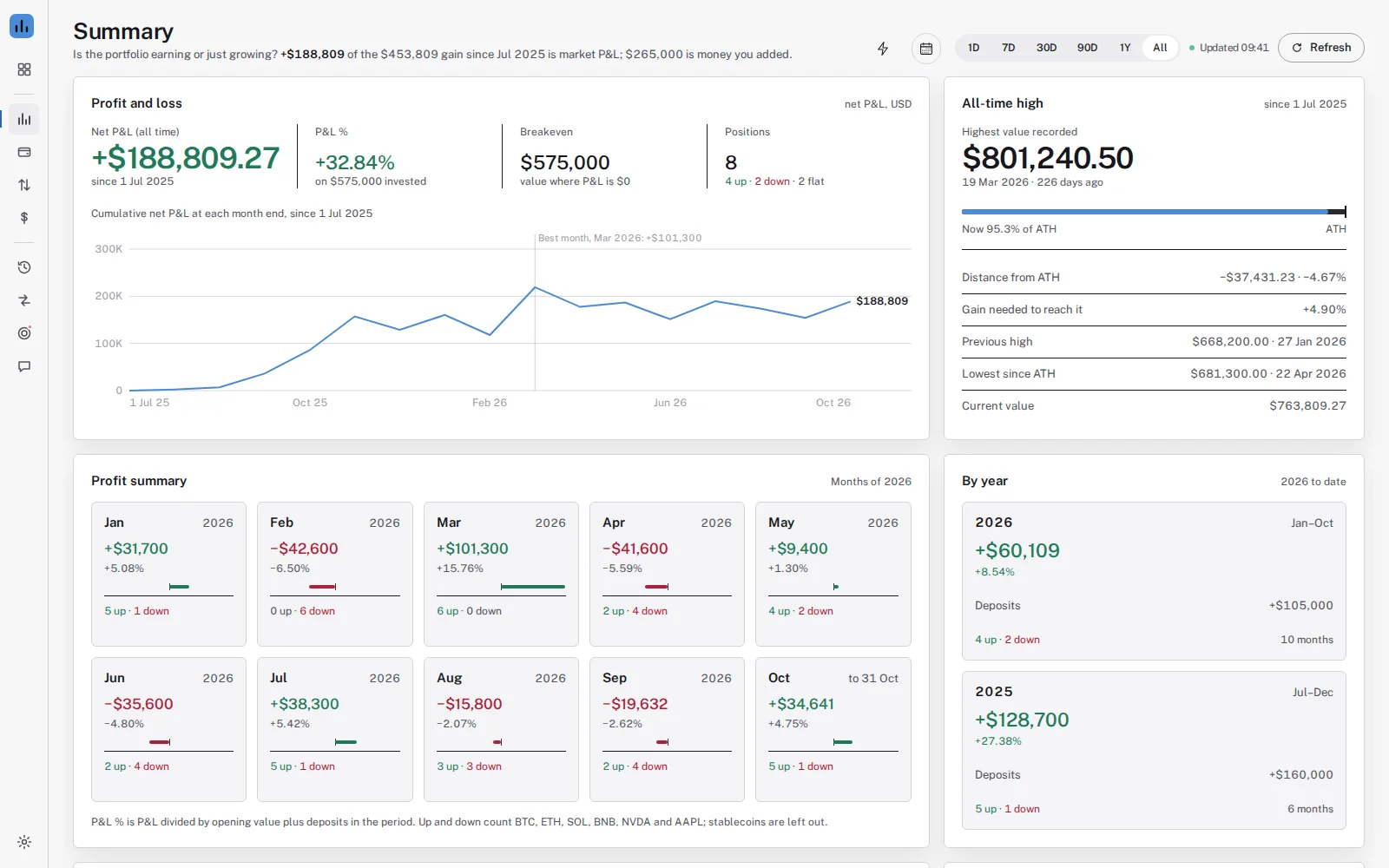
Understand your profit.
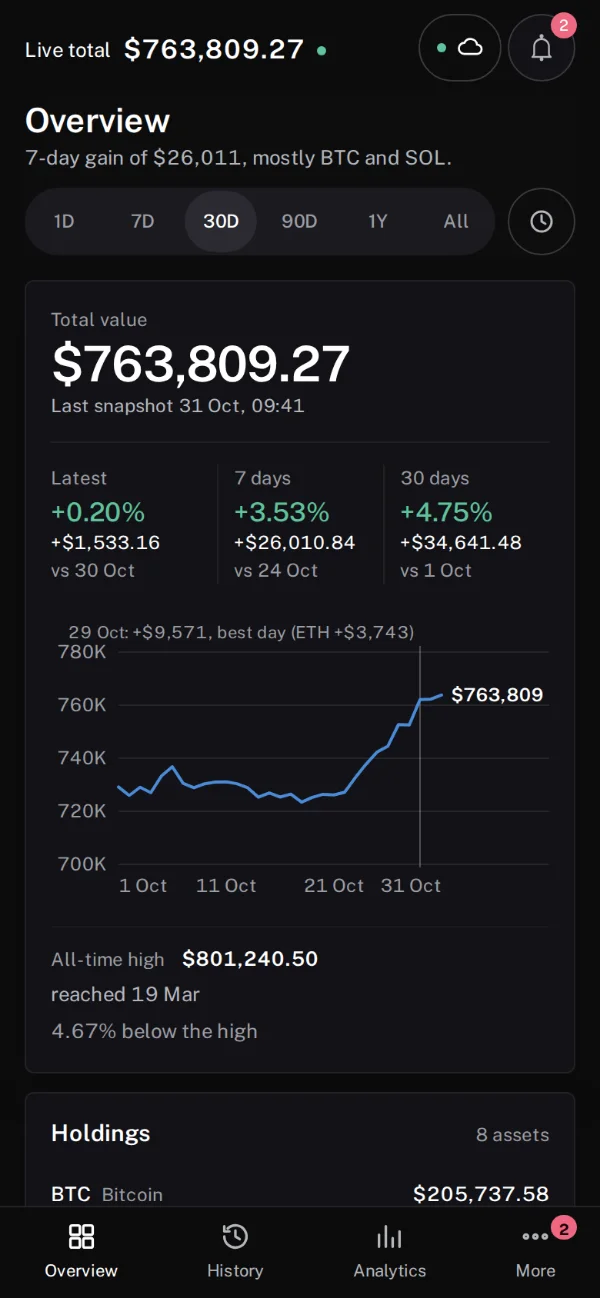
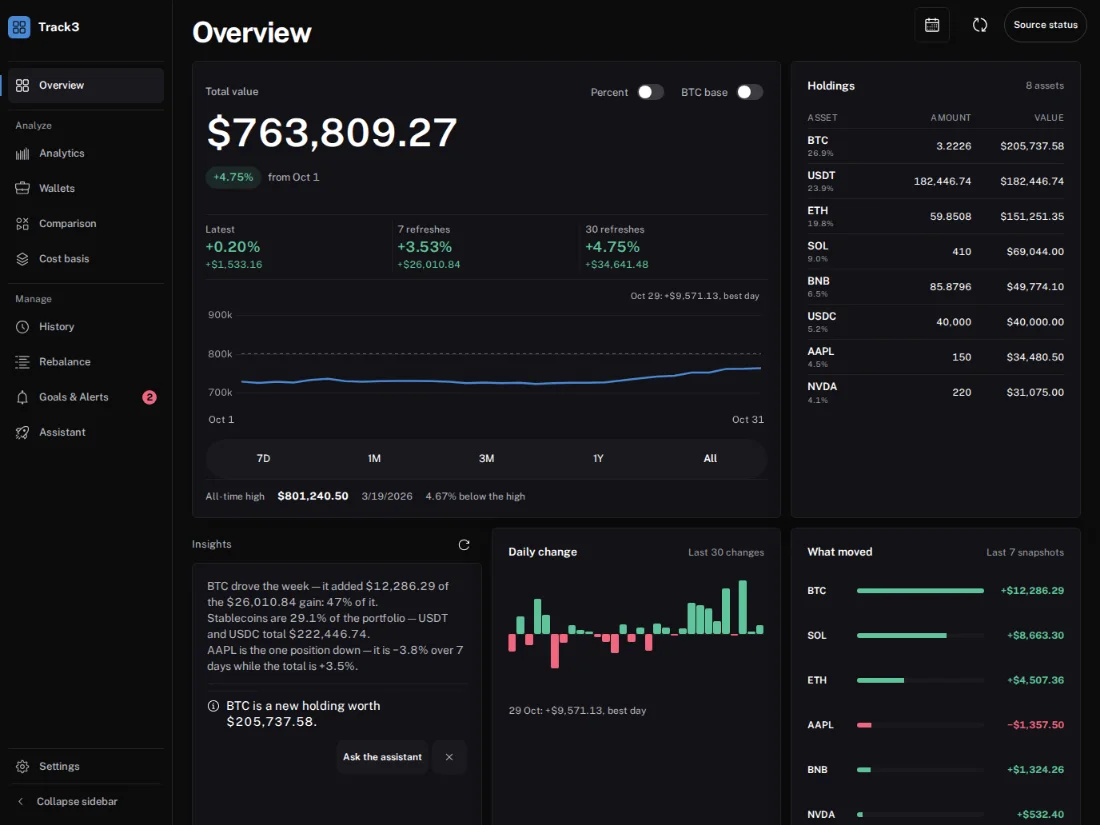
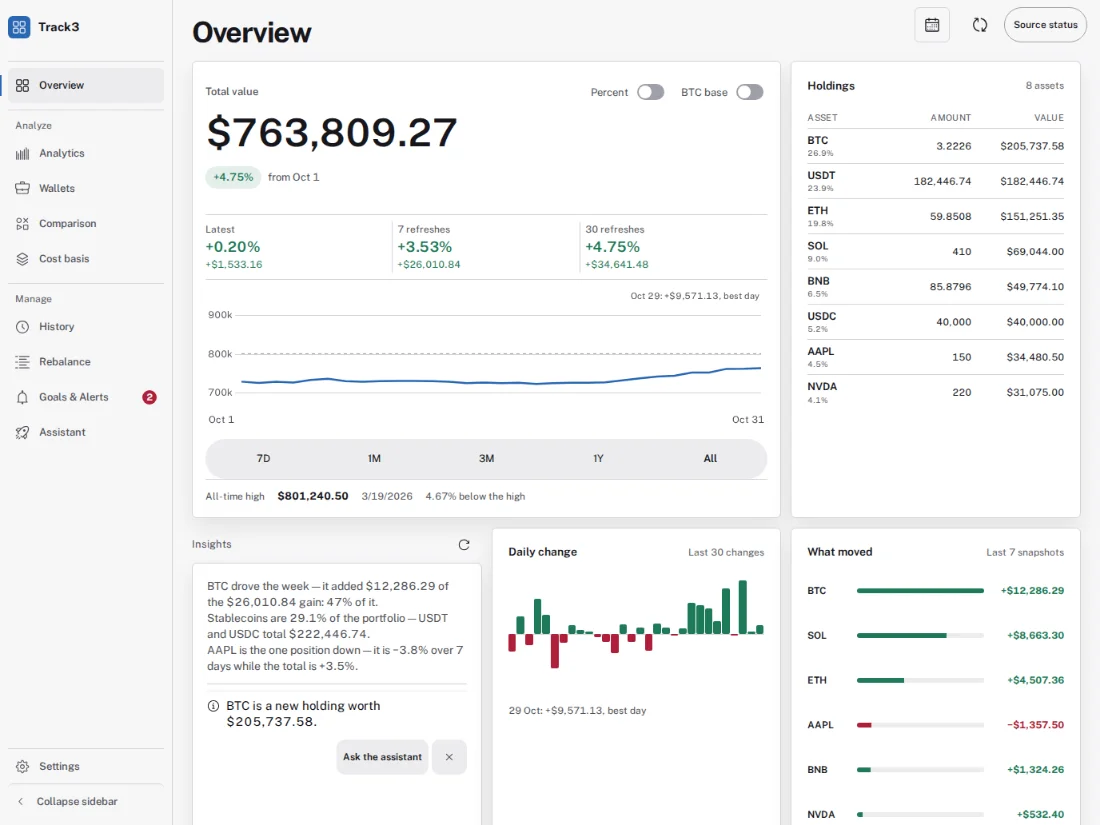
Review profit by month and year, and see which assets drove the change in your portfolio.
Swipe to explore
YOUR PORTFOLIO, IN FOCUS
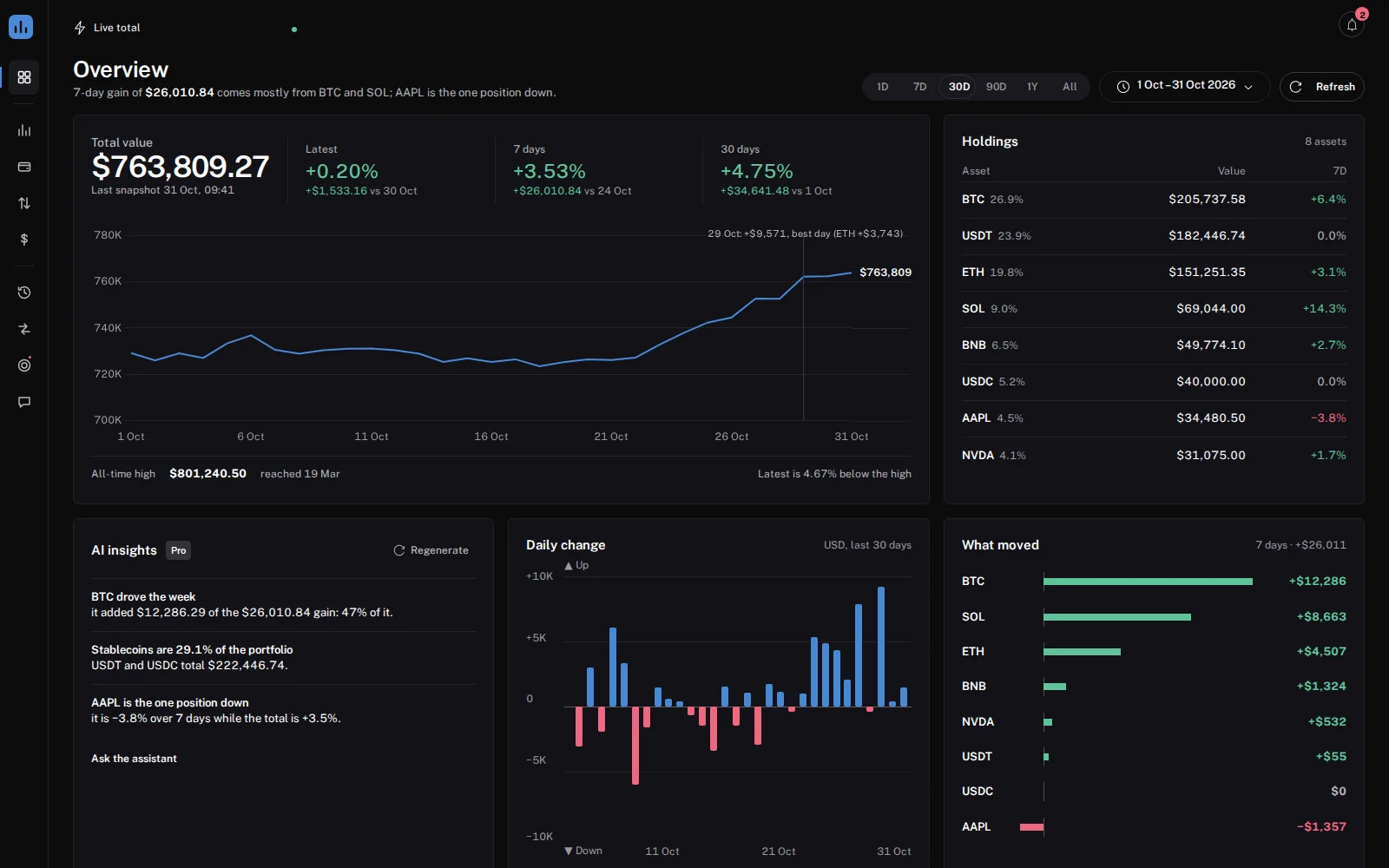
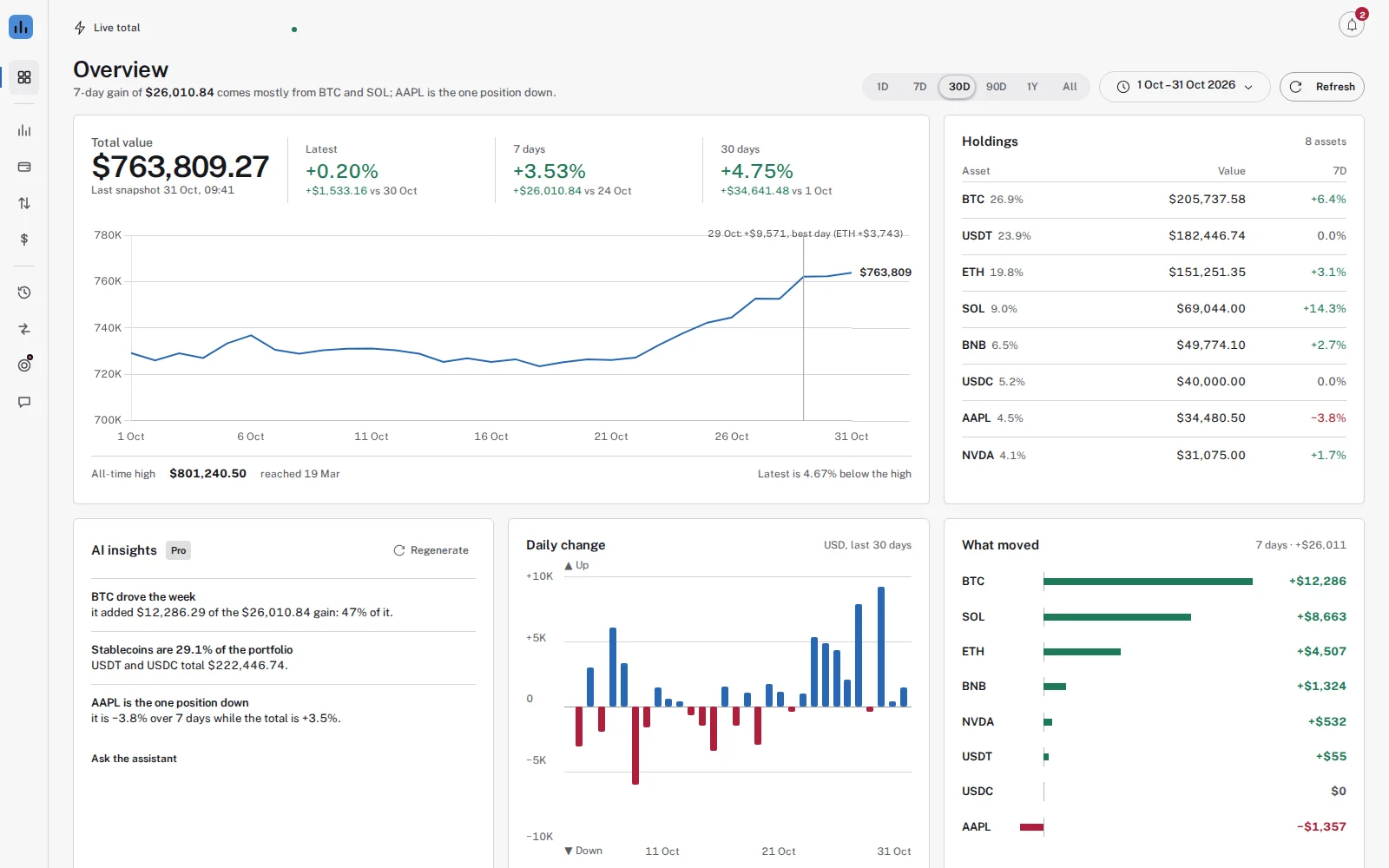
Track crypto and stocks across exchanges, wallets and Interactive Brokers. See what changed, what you own and what it cost.
Swipe to explore
01 / THE CORE VIEWS
Summary
Review profit by month and year, and see which assets drove the change in your portfolio.
Swipe to explore
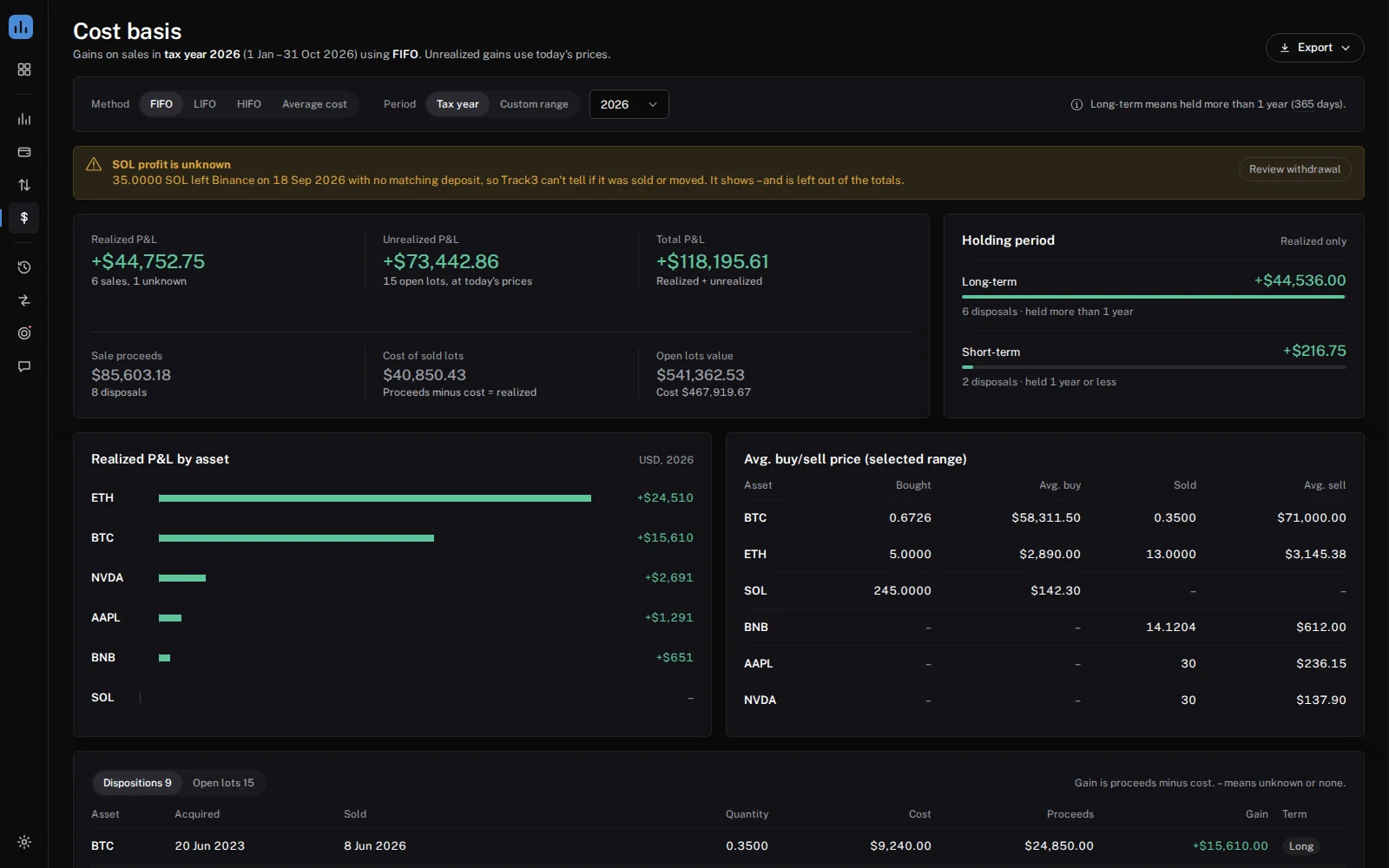
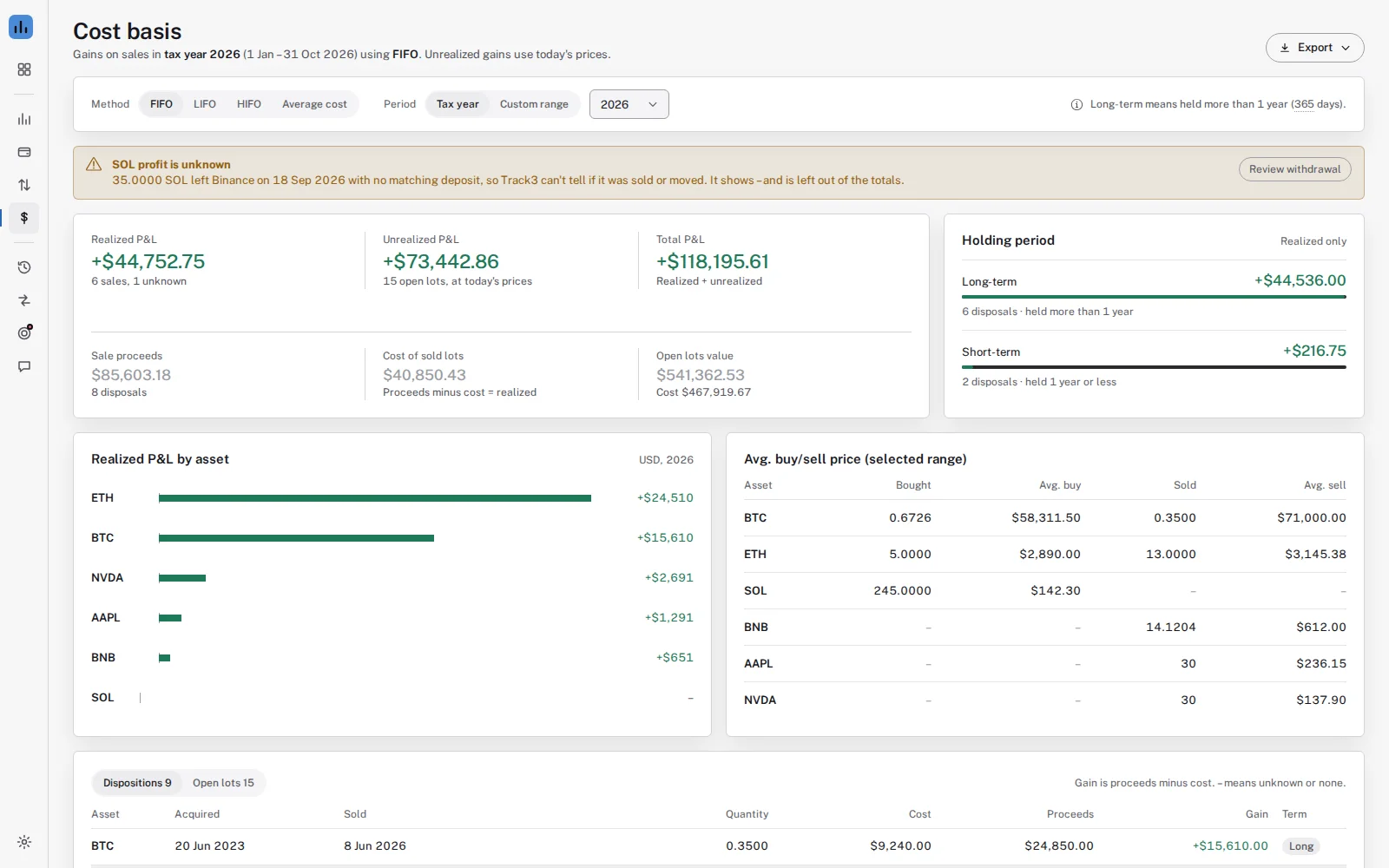
Cost basis
Review cost basis and realized and unrealized P&L using FIFO, LIFO, HIFO or weighted average.
Swipe to explore
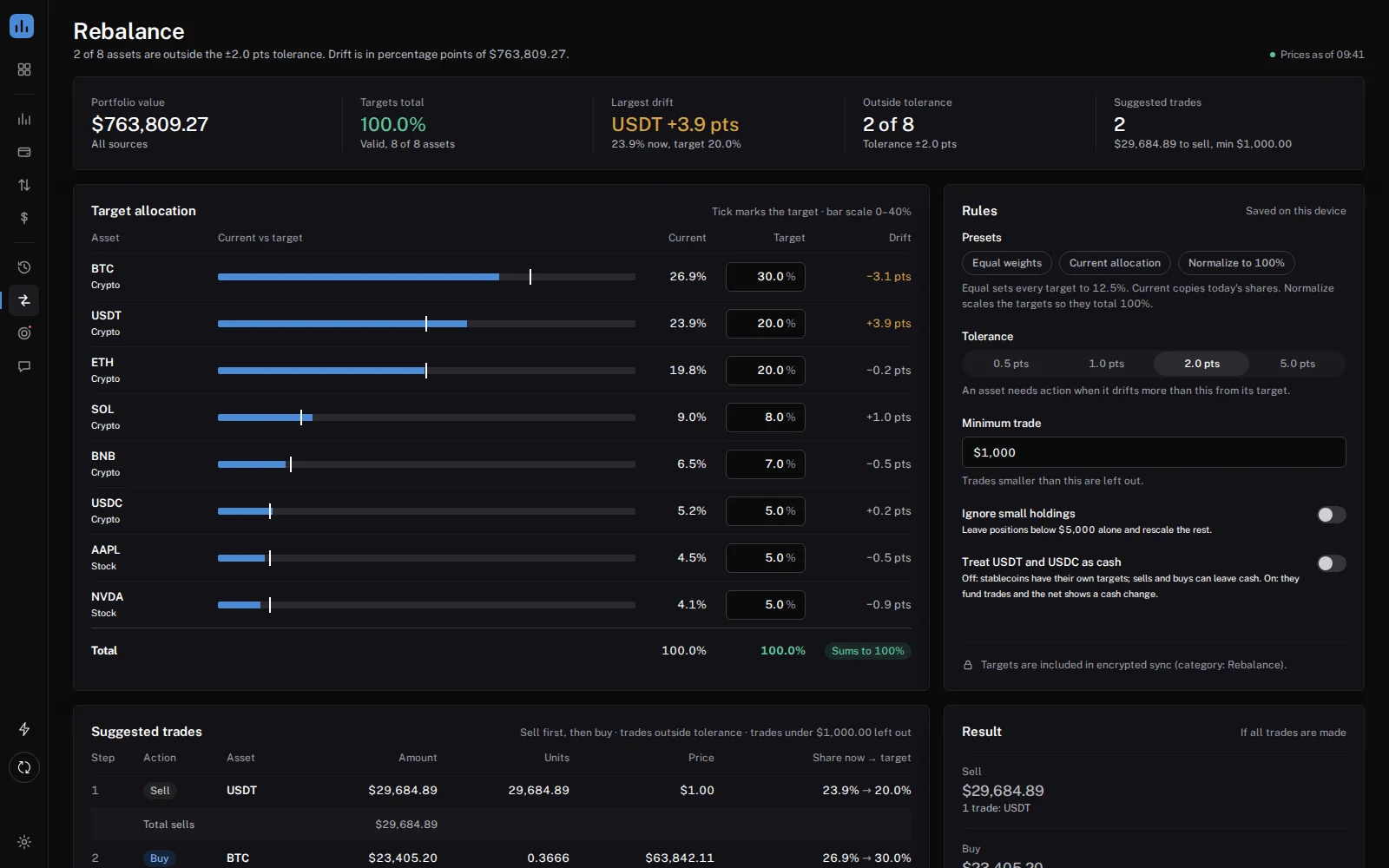
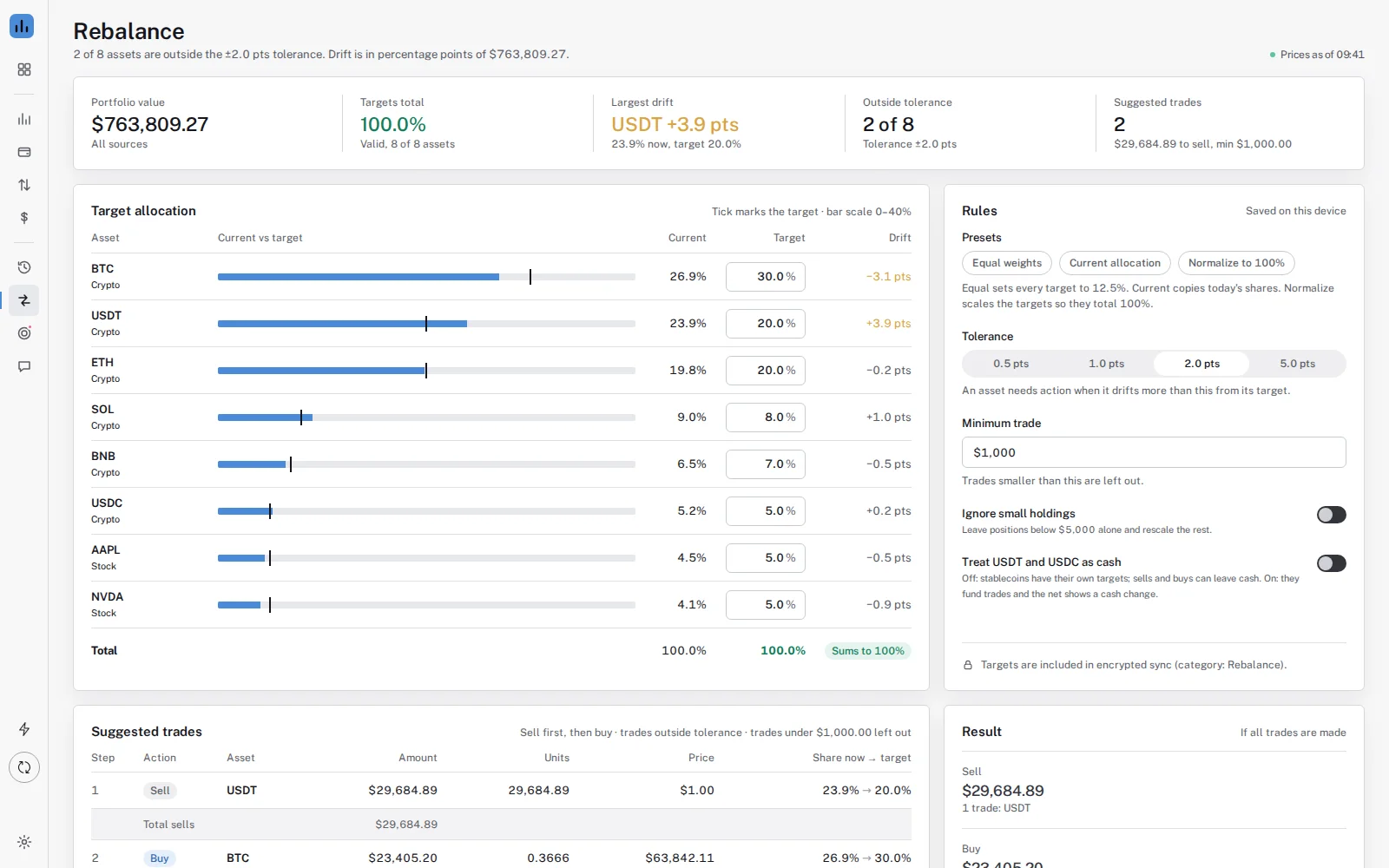
Rebalance
Set target weights and trade constraints, review suggested changes, then export them to CSV.
Swipe to explore
02 / SOURCES
Bring exchanges, a broker and public wallet balances into one portfolio.
 Binance
 OKX
 Bitget
 Kraken
 Gate.io
 Coinbase
 Bybit
 HTX
 MEXC
 Backpack
 Interactive Brokers
 Bitcoin
 EthereumBNB Chain
 Solana
 Dogecoin
 TON
 SUIEVM Pro
 TRON Pro
03 / PRIVACY
Portfolio records stay in a local SQLite database on your device.
Use read-only exchange keys. Never grant trade or withdrawal permission.
Sync through S3 storage you configure, with end-to-end encryption.
Refreshes contact your sources, assistant requests reach your chosen provider, and optional sync uses your S3 storage. Crypto prices and public wallet balances may come from public APIs such as CoinGecko. Currency rates, the stablecoin list, stock prices, Pro refreshes, and license checks use Track3's services. Pro wallet refreshes send wallet addresses to Track3's service, and Track3 service requests include a persistent client ID.
Sensitive configuration and chat messages are encrypted before storage; chat titles and previews are not. Portfolio records are not app-encrypted. On desktop, set your own encryption key for stronger protection. Only public on-chain wallet data is read; no wallet signatures are needed.
The desktop and iOS apps send usage events for launches, refreshes, and subscription-button clicks to Aptabase at eu.aptabase.com. There is no in-app opt-out. Events carry a persistent client ID and session ID, plus details such as OS, user agent, locale, app and Tauri versions; refresh events may include source IDs. Privacy details
04 / TRACK3 PRO
Pro adds the AI assistant, broader EVM and TRON coverage, and live values. Free Ethereum and BNB Chain tracking covers native ETH and BNB; token balances need Pro.
Cancel any time.
About 30% less than monthly.
One wallet refresh counts as one use.
Subscribe inside the desktop app: Settings → System → Subscribe. Already have a licence key? Enter it under Settings → System → Pro license.
Pro is activated inside the app. Download Track3, then open Settings → System → Subscribe.
05 / iOS coming soon
Tabs on iPhone, a sidebar and split views on iPad. The same local portfolio data and encrypted sensitive settings, with a Face ID app lock and Files import and export.
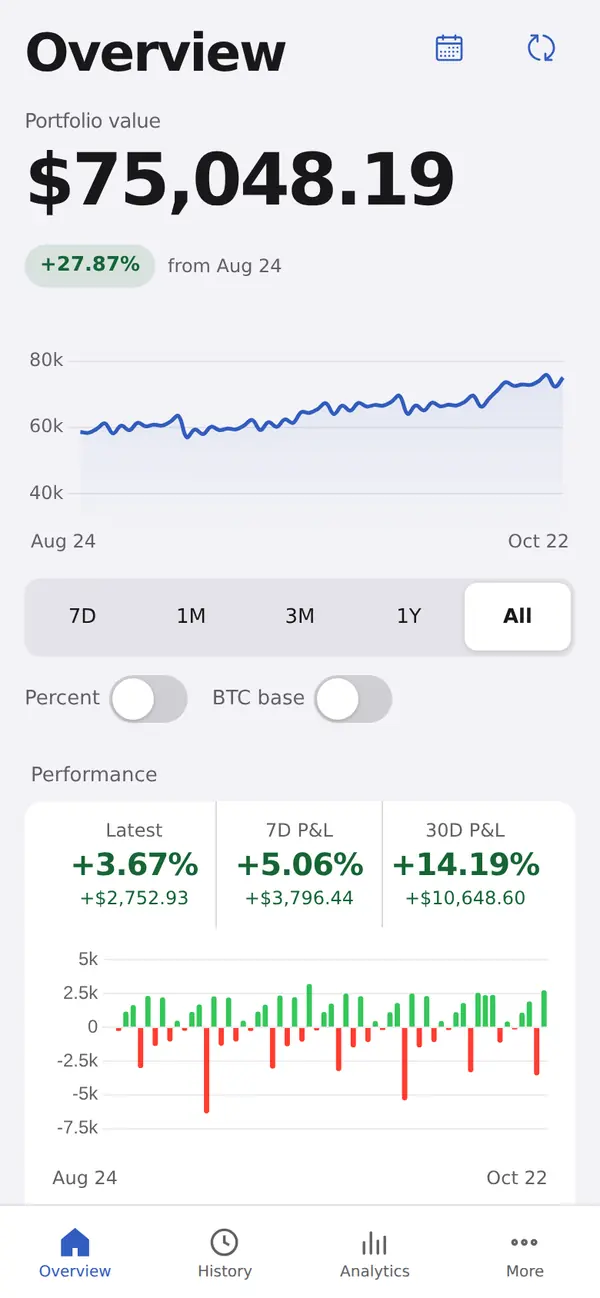
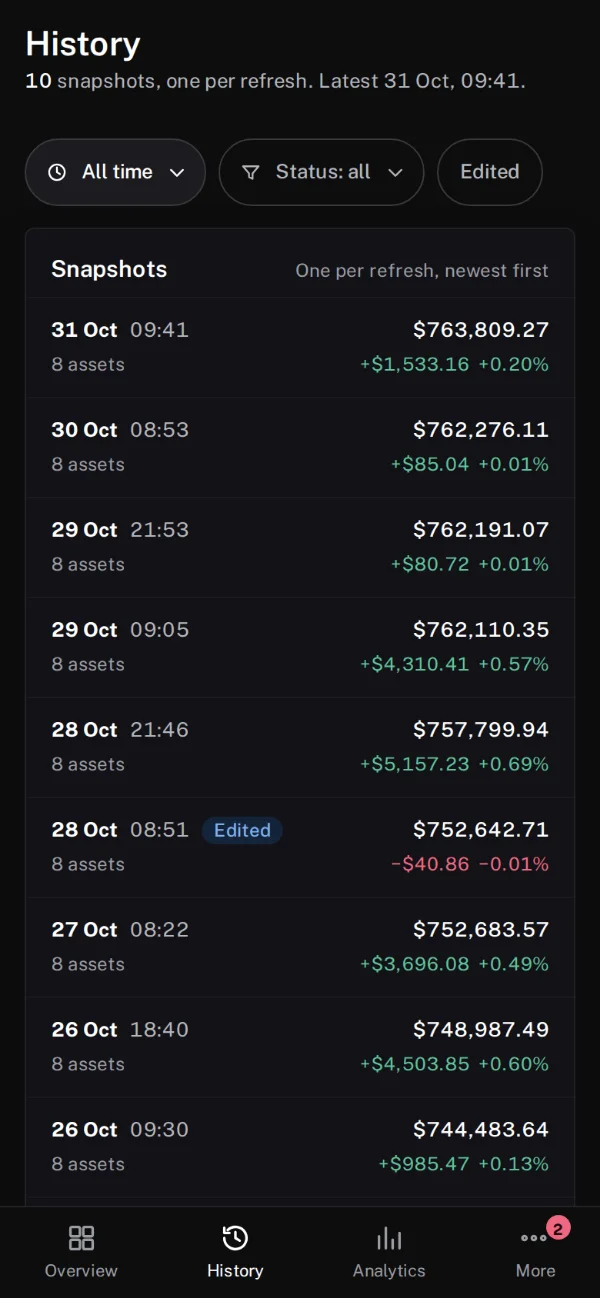
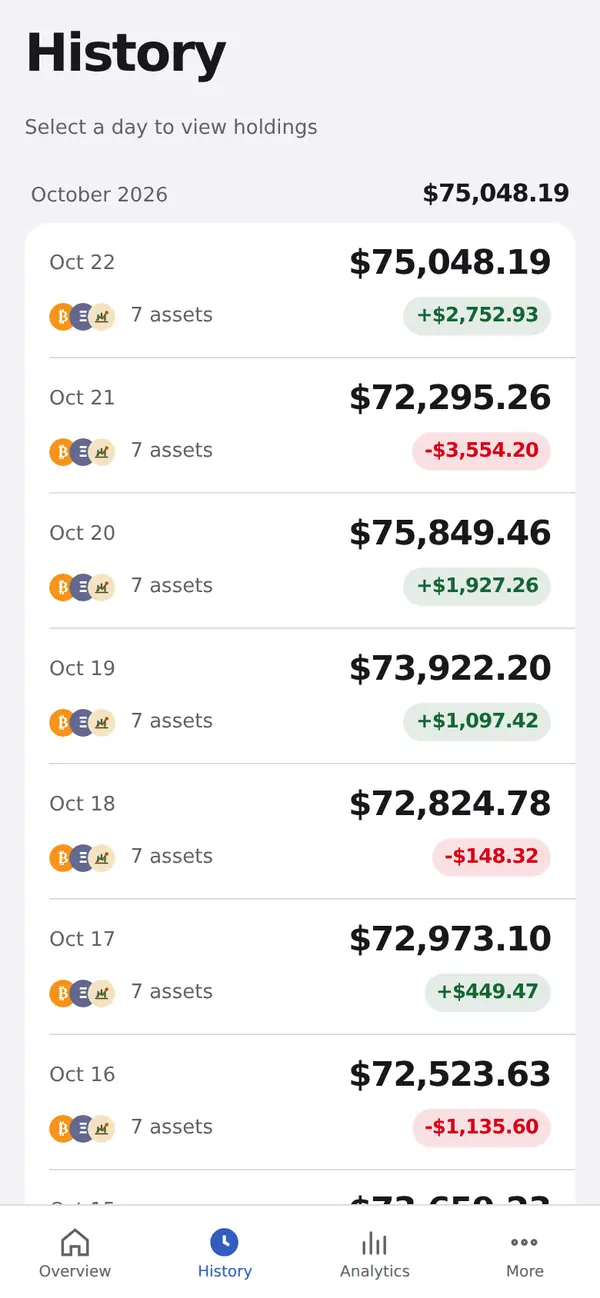
iPhone and iPad are coming soon. The app is not available to install yet. Watch the GitHub repository for updates.
GET STARTED
Free to download for macOS, Windows and Linux. iOS coming soon.